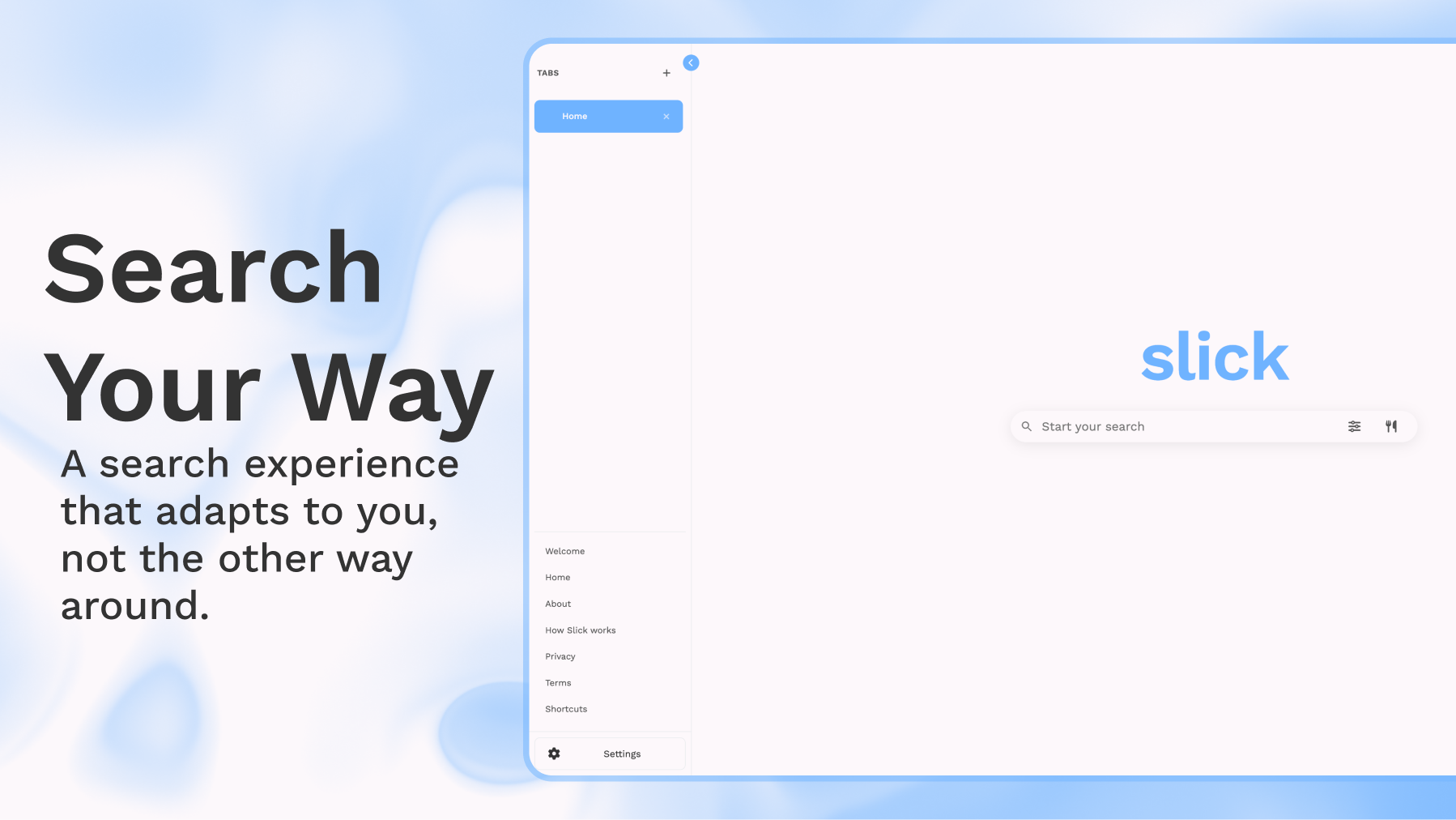
A Big Slick Update
Over the past few months, I’ve been working on one of the biggest updates Slick has received so far.
One thing that’s always bothered me about modern search engines is that they expect everyone to search the same way. The ranking algorithm, the interface, and even where your results come from are all decided for you.
I wanted to build something different.
Instead of assuming there’s one “correct” way to search, Slick is built around the idea that your search engine should adapt to you, not the other way around. This update adds several new features that make that possible.
Custom Ranking
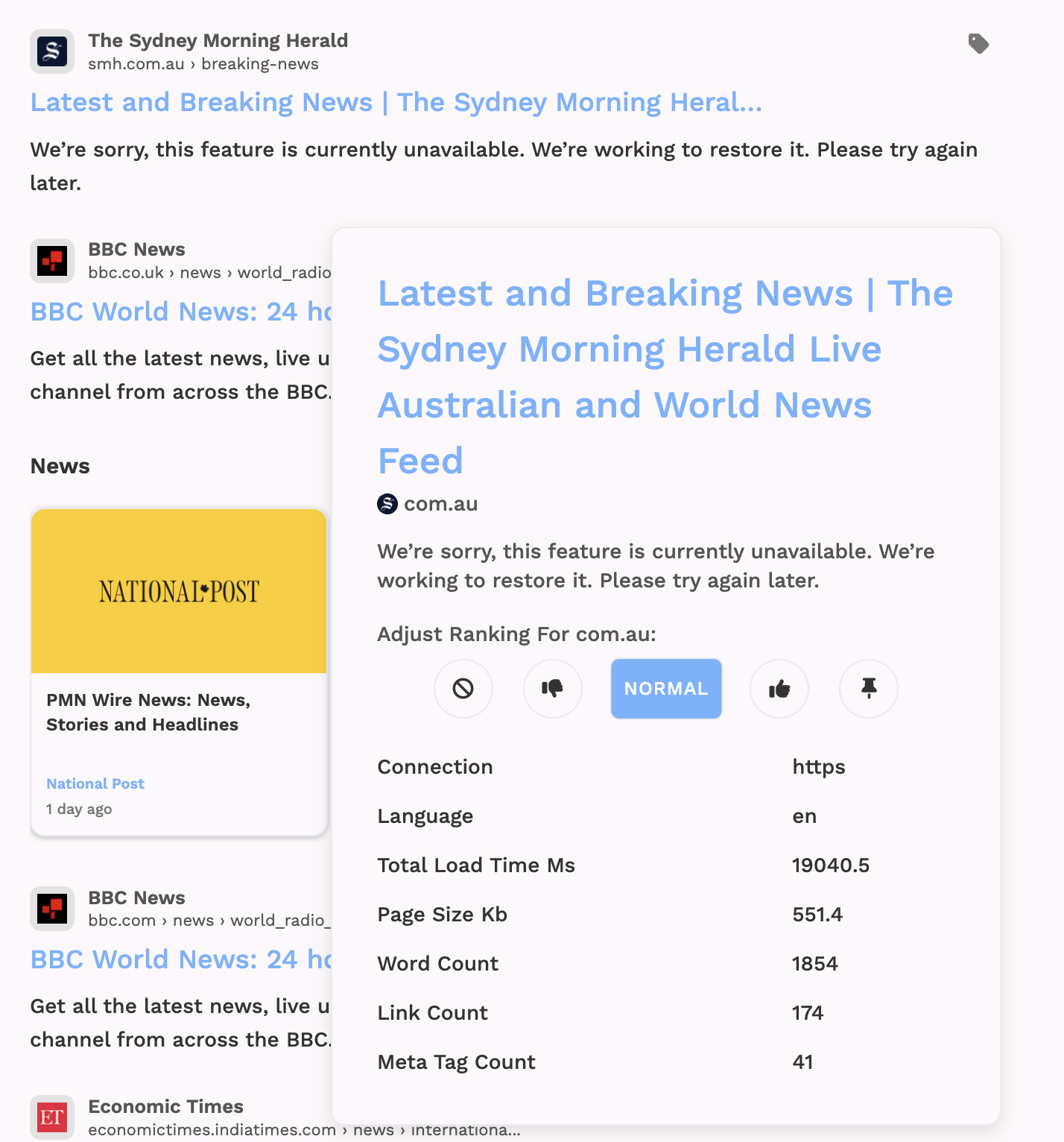
Every person has websites they trust more than others.
Maybe you always want GitHub above Stack Overflow for programming searches. Maybe you prefer Reddit over Quora. Maybe there are websites you never want to see again.
With Custom Ranking, you can make those decisions yourself.
You can upvote websites to make them rank higher, downvote websites to lower them, or hide websites entirely. These preferences are automatically applied every time you search, creating a search engine that’s personalized to you without relying on invasive tracking or profiling.
The idea is similar to Kagi’s ranking system, but I wanted to make it as easy as possible to use. Just click the buttons next to a result, and Slick remembers your preferences.
Recipes & Search Operators
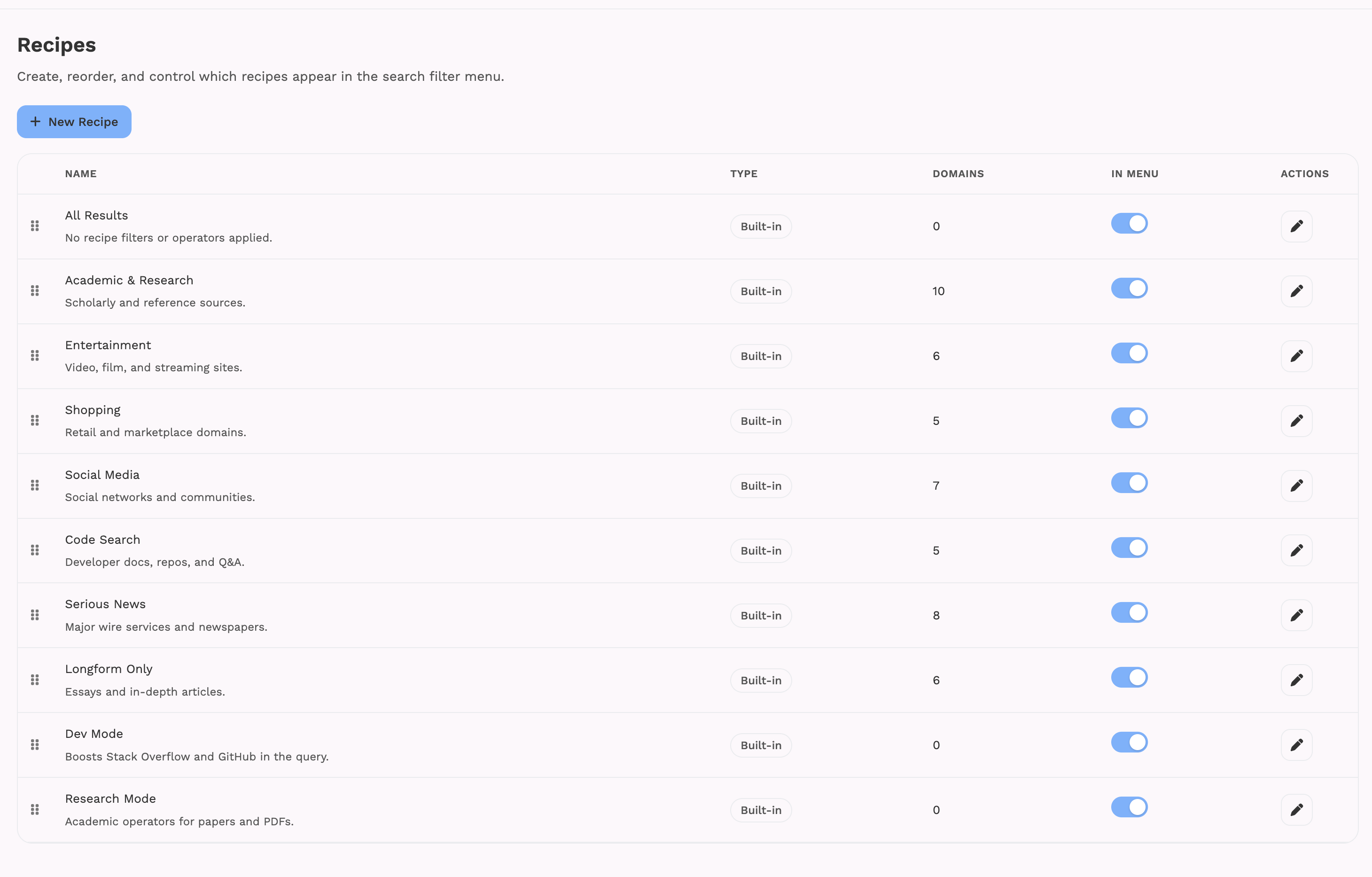
Sometimes you don’t want to change your rankings permanently. You just want to search a specific part of the web.
That’s what Recipes are for.
A Recipe is a collection of websites that Slick automatically limits your search to. Behind the scenes, it builds a query using site: operators, so instead of searching the entire web, you can search only the websites you care about.
For example, you could create:
- A programming recipe that searches GitHub, MDN, Stack Overflow, and official documentation.
- A news recipe that only searches your favorite news websites.
- A shopping recipe that searches only online stores.
- A university recipe that searches only .edu websites.
You can switch between Recipes with a single click depending on what you’re searching for.
Alongside Recipes, there’s also an Operators section. This lets you add additional search operators like filetype:pdf, intitle:, and other advanced operators without needing to remember the syntax yourself.
Custom Bangs
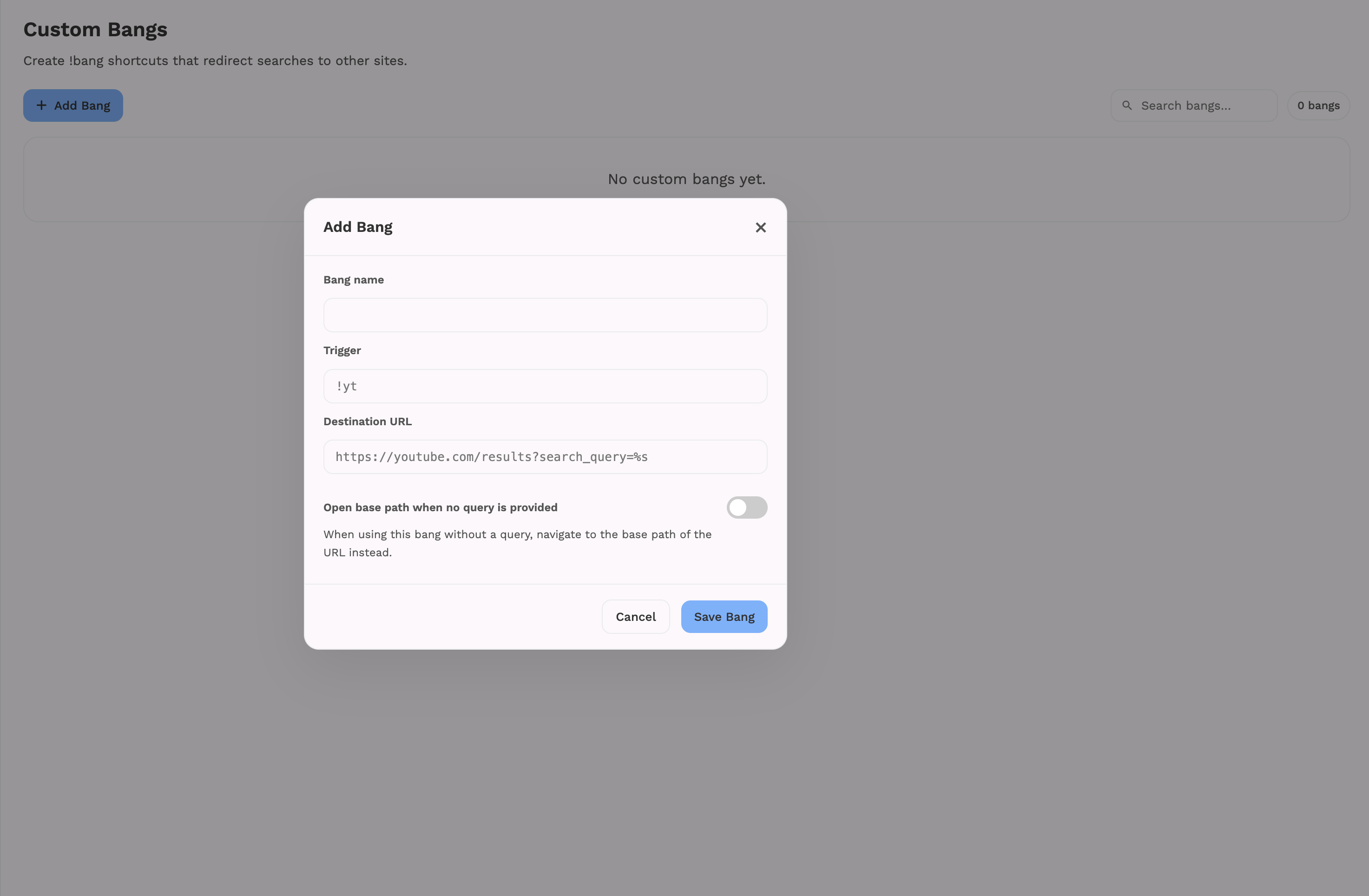
Slick already supports over 200 built-in bangs, but I wanted to go a step further.
You can now create your own.
If there’s a website you search frequently that isn’t already supported, you can define a custom bang that works exactly how you want.
For example, you could create:
- !chat for ChatGPT
- !gh for your company’s GitHub organization
- !docs for your internal documentation
- !ytmusic for a specific YouTube Music search
Once it’s saved, it’s available every time you search.
It’s a small feature, but it’s one of those things that can save a surprising amount of time if you search certain websites often.
Layout Customization
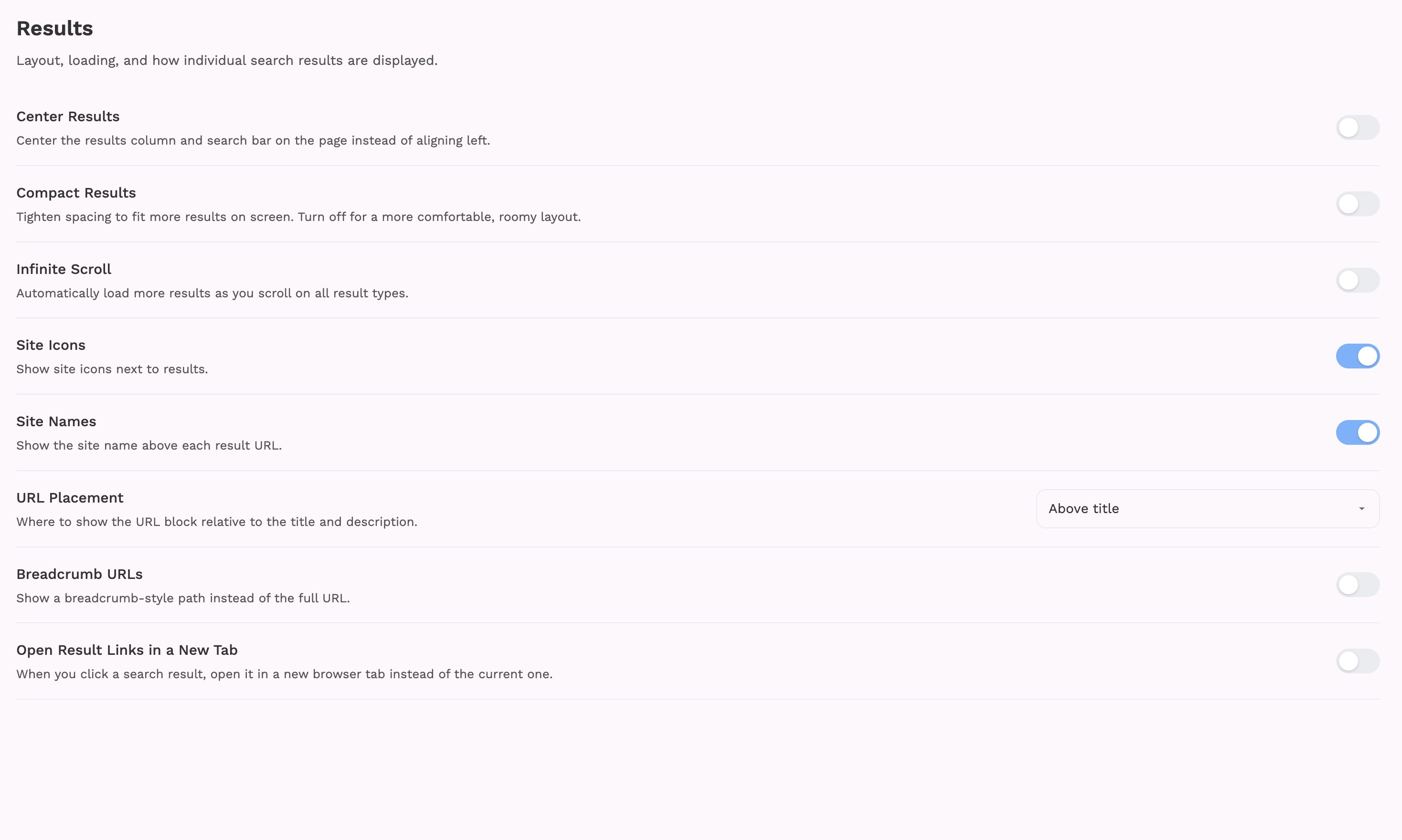
Not everyone likes the same interface.
Some people want a cleaner layout. Others want larger results, smaller spacing, different sidebars, or fewer distractions.
Layout Customization lets you adjust different parts of Slick’s interface without writing any code.
The goal isn’t to create hundreds of settings that nobody uses. It’s to give people more control over how Slick looks and feels.
Custom CSS
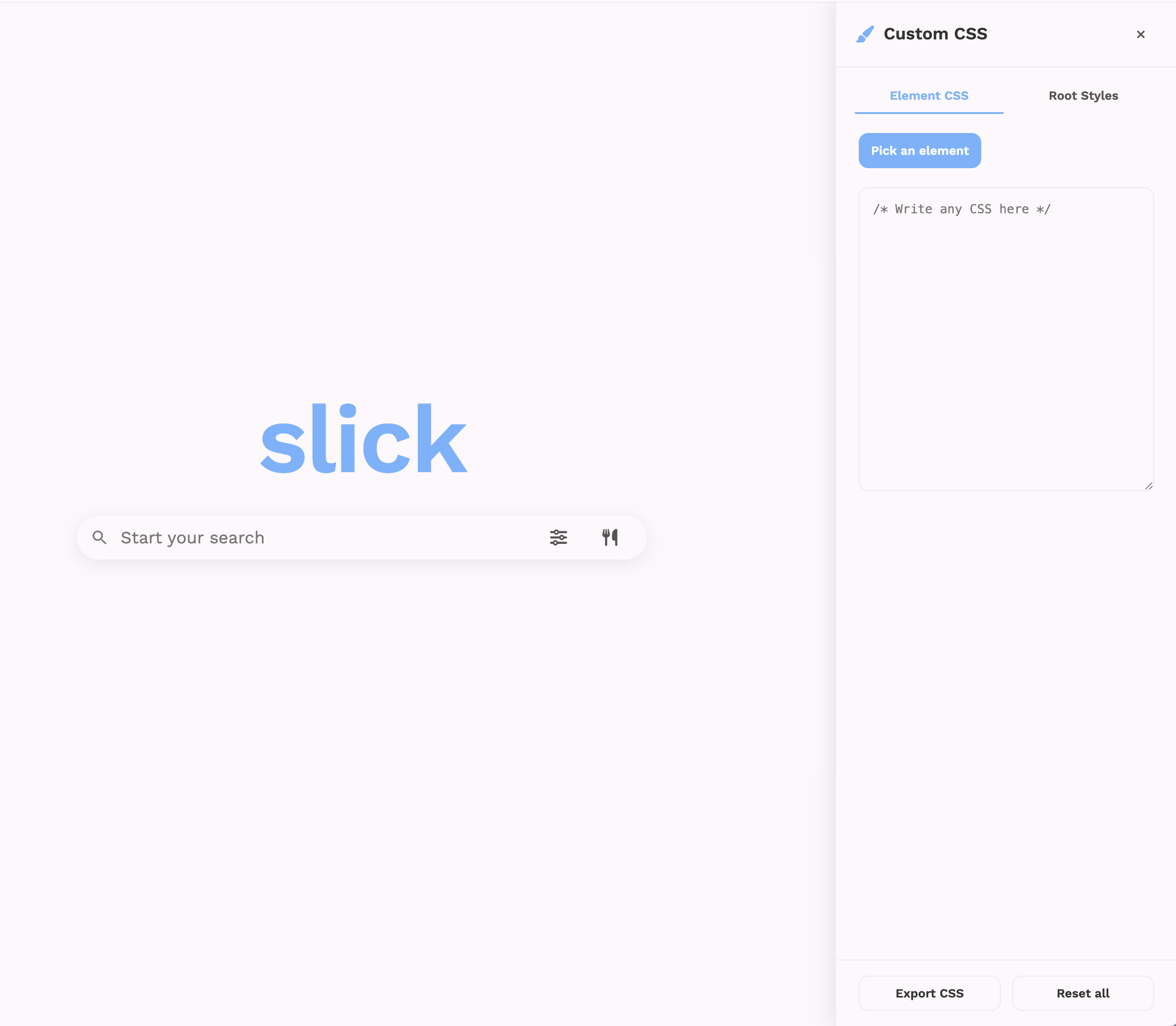
If the built-in customization options aren’t enough, you can go even further.
Custom CSS lets you apply your own stylesheet to Slick.
Want different colors?
Different fonts?
Rounded corners?
A completely redesigned interface?
As long as it can be done with CSS, you can customize it.
I’m looking forward to seeing what people create with it.
Index Switcher

Slick’s own search index is still growing, so I wanted users to have another option available while it continues to improve.
That’s why I added the Index Switcher.
With a single click, you can switch between Slick’s independent index and DuckDuckGo’s index.
There are a few tradeoffs, though.
Because the DuckDuckGo option only fetches a single page of results, some features don’t work quite as well. For example, Custom Ranking may not work as effectively because there are fewer results available, and upvoting individual search results isn’t currently possible.
DuckDuckGo’s results can also be a bit unpredictable. Running the exact same search twice may return different results, which makes it harder to provide a consistent experience.
Even with those limitations, I still think giving users the choice is better than forcing everyone to use a single index.
Once Slick has enough users to justify the cost, I plan to replace the DuckDuckGo option with the Brave Search API. This should provide more consistent results while still keeping the ability to choose between different search indexes.
Behind the Scenes
While these are the biggest user-facing features, a lot has changed behind the scenes too.
I’ve spent a lot of time improving crawling, indexing, ranking, caching, spam detection, performance, and overall search quality.
Search engines are incredibly complicated systems, and almost every improvement leads to another problem to solve.
Slick’s independent index is continuing to grow, and I’ll keep improving the ranking algorithm as more pages are added.
There’s still a lot I want to build, but I’m really happy with how far Slick has come.
I’d Love Your Feedback
If you’ve been using Slick, I’d love to hear what you think.
Whether it’s search quality, missing features, UI improvements, bugs, performance, or just general feedback, it all helps.
Quite a few features in Slick today started as suggestions from users, and I want to keep building it that way.
Thanks for using Slick, and I hope you enjoy the update.
Slick: https://slicksearchhq.com
ProductHunt: https://producthunt.com/product/slick-7

Comments 0
No comments yet. Be the first to share your thoughts.
Leave a comment
No account needed. Comments are moderated before they appear.